Advanced Settings
Advanced Settings
On Windows servers, you can access the advanced Agent settings through the SqlBak Agent Config App.
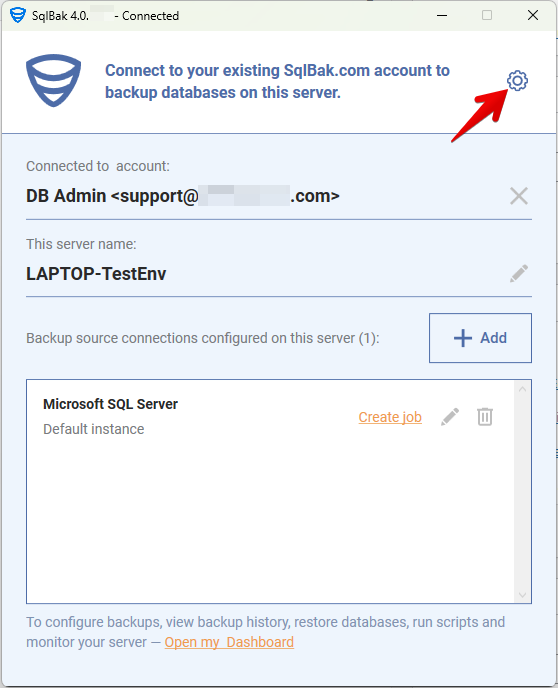
Click the gear icon in the top-right corner of the application window to open the settings panel:
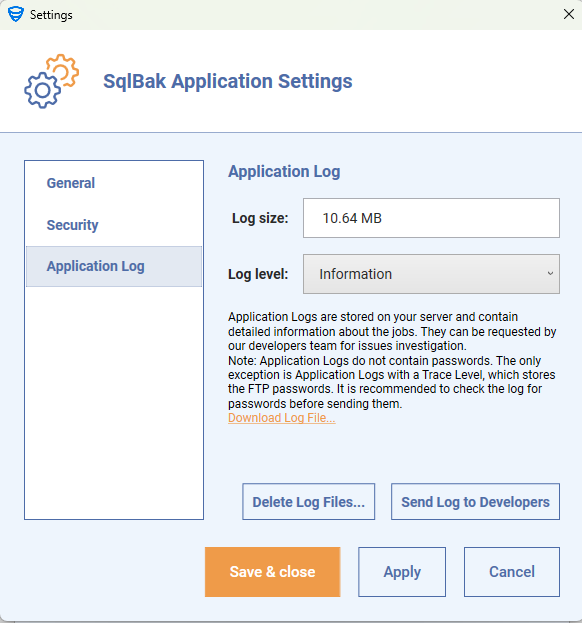
General: Test backup source connection before saving
When enabled, SqlBak automatically tests the database connection before saving it — helping detect authentication or network issues early.
Security:
-
Allow running system batch scripts on this server for a job
-
Allow running SQL scripts on this server for a job
Leave these unchecked if your jobs don’t require running batch scripts or SQL scripts.
Application Log:
-
Adjust log size and log level (e.g., Information, Debug, Trace).
-
You can download, send, or delete logs for troubleshooting.
Configuring Advanced Settings via Command Line
On Linux servers, advanced settings can be configured using command-line interface commands. The following commands are available:
- security-settings – Configure script execution restrictions (see Script Execution Restrictions)
- app-log – Configure application log settings (see Application Log)