System Overview
System Overview
SqlBak is an agent-based backup solution that consists of the following components:
- SqlBak Server – The main server that hosts the web interface https://app.sqlbak.com and API for interaction with the SqlBak Agent.
- SqlBak Agent – A system process installed on the user’s server that receives commands from SqlBak Server and executes scheduled backup tasks.
- SqlBak Agent Config App – A configuration tool that links the SqlBak Agent with SqlBak Server and manages database connections.
All components of the system are developed using .NET Framework.
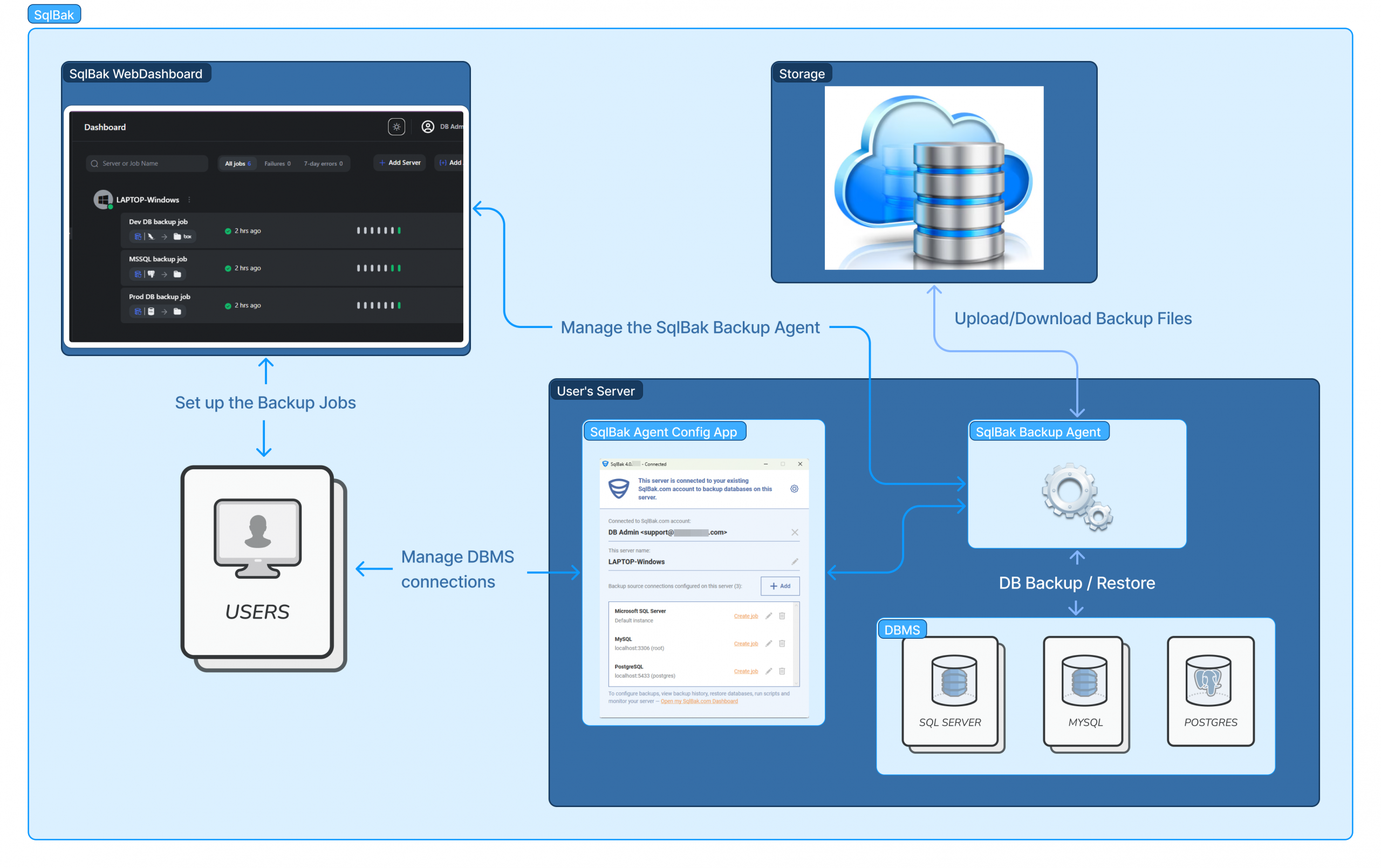
SqlBak Agent
SqlBak Agent is a persistent process installed on the user’s server. It runs in the background regardless of whether users are logged in or not. This process is responsible for executing backups and restores configured by the user via web interface app.sqlbak.com.
🪟 On Windows
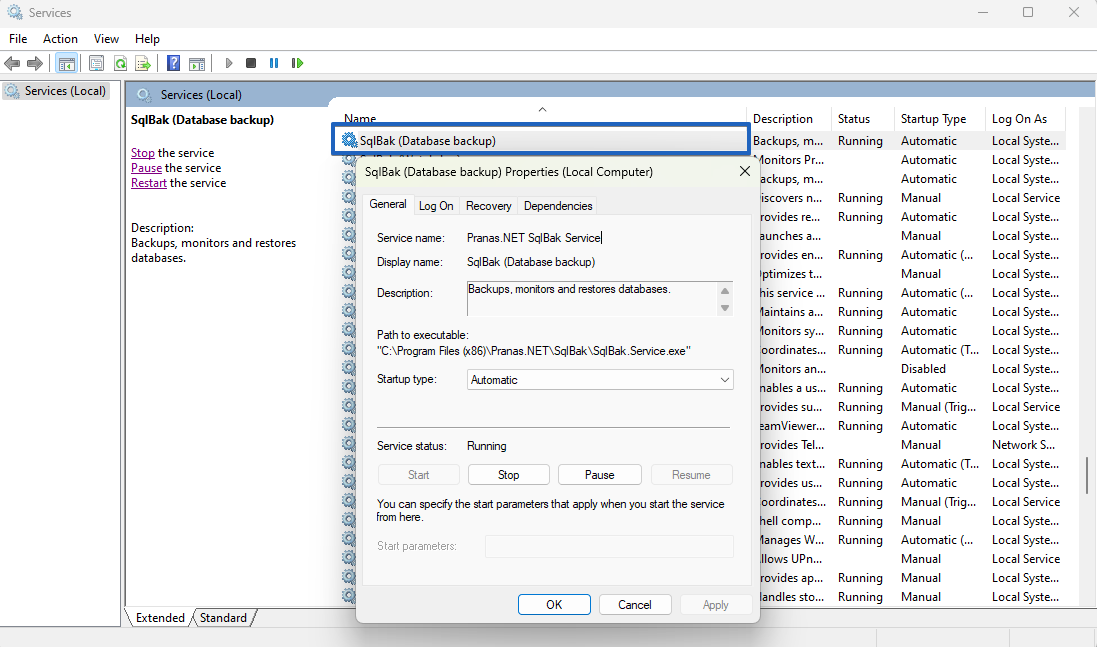
On Windows, SqlBak Agent runs as a Windows service named SqlBak Service. Open the Windows Services application (services.msc) to locate and manage it.
SqlBak Service installs automatically when SqlBak is set up on Windows. It starts automatically upon system boot.
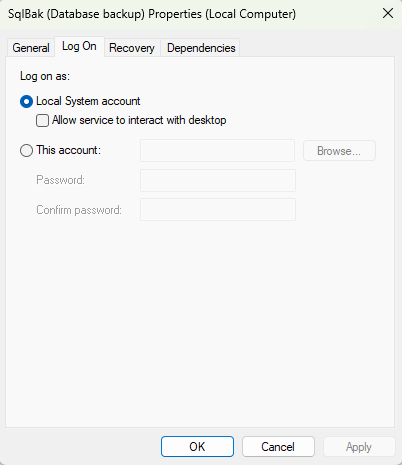
By default, the SqlBak Service runs under the Local System account. You can modify this setting in SqlBak Service properties under “Log On” tab, if needed.
All necessary files and settings are stored in: 📂C:\ProgramData\Pranas.NET\SqlBak
On Linux
SqlBak Agent on Linux runs as a systemd service.
Check service status: systemctl status sqlbak
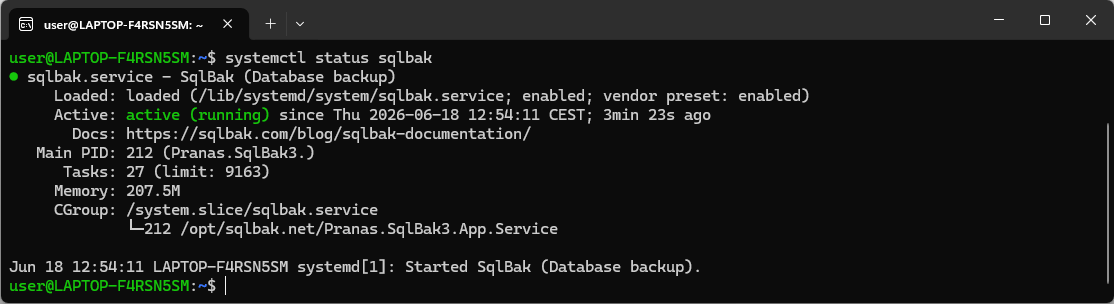
The systemd service is configured automatically and starts on its own when the system boots.
During installation, a SqlBak user is created, under which the systemd service will operate. This user is automatically added to the following groups (if they exist): mysql, postgresql, mssql. This is necessary to grant the application access to the corresponding databases.
All necessary data for operation is stored in the /opt/sqlbak/ directory.
SqlBak Agent Config App
Immediately after installing SqlBak on the server, the SqlBak Agent Config App will open.
This application interacts with the SqlBak Agent backup process through sockets and performs the following tasks:
- Connects the SqlBak Agent to sqlbak.com.
- Allows adding database connections.
- Manages settings for DBMS connection configuration
- Manages security settings, including enabling script execution and password protection for the application UI.
- Enable Advanced logging.
The SqlBak Agent Config App is available in two formats:
- Desktop Application (Windows)
- Command-Line Interface (Linux)
Desktop Application (Windows)
After installing SqlBak on a Windows-based operating system, the SqlBak Desktop Application will launch automatically.
The desktop application interacts with the SqlBak Service, allowing users to configure DBMS connections, manage security settings, and enable advanced logging.
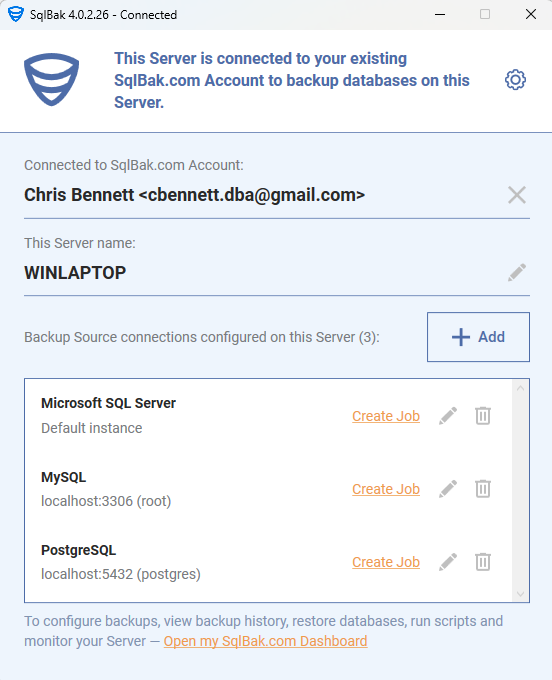
Once the initial setup is complete, you can close the desktop application. The SqlBak Service will continue running in the background to execute scheduled backups as configured.
Note: Most ongoing configuration—job schedules, destinations, notifications, retention policies, and monitoring—is managed in the web dashboard at sqlbak.com.
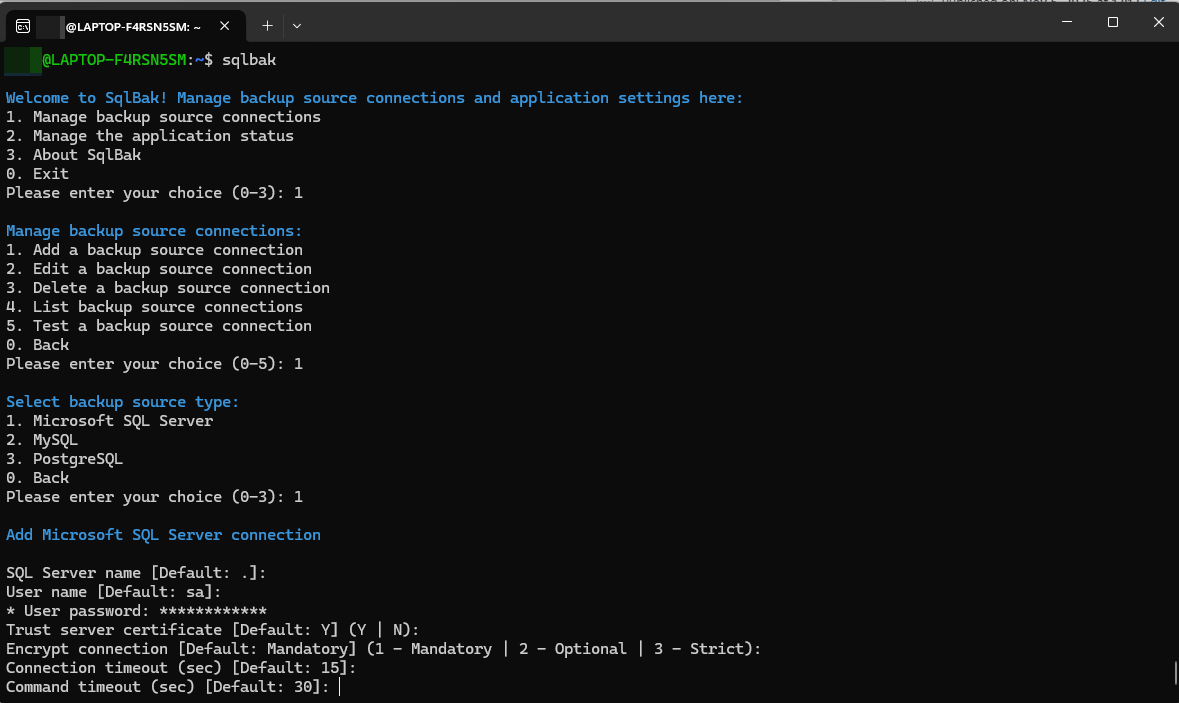
Command-Line Interface (Linux)
The command-line interface runs by default after installing the package on Linux. More information about CLI interface see here.
Interaction between sqlbak.com and the SqlBak Agent
SqlBak Agent communicates with sqlbak.com via a REST API over HTTPS. The request endpoint is api.sqlbak.com, which is linked to a static IP: 209.133.198.58.
Authentication
SqlBak Agent establishes a connection with sqlbak.com using the Secret Key (found on the Download page). This key links the SqlBak Agent to the user’s SqlBak account.
Note: one agent can only be linked to a single account. If multiple accounts need to manage the same agent, this can be achieved through server sharing between accounts. For more details on server sharing and account management, please refer to the server sharing section.
Communication
Once registered, SqlBak Agent periodically polls api.sqlbak.com to receive commands, such as:
- Updating backup job settings
- Starting a backup job
- Initiating a restore process
Polling intervals:
- Every 40 seconds under normal conditions
- Every 5 seconds, if the user has a browser open with the dashboard on sqlbak.com.
Security Notice:
The “commands” received by SqlBak Agent are not arbitrary shell commands that can execute unrestricted actions on your server. Instead, they are specific internal application commands such as: 001004 – Create a backup job
Sending Logs & Backup Results
The execution results and backup logs are sent asynchronously to sqlbak.com.
If a network error occurs (e.g., failure to establish a connection), the backup agent will retry sending the results until successful.