PostgreSQL
How does SqlBak backup a PostgreSQL database?
SqlBak creates hot logical backups for PostgreSQL using the pg_dump utility.
pg_dump is a program developed by PostgreSQL server developers specifically for backing up PostgreSQL databases. This utility creates a transactionally consistent backup without stopping the database. Here’s an example of the backup command that SqlBak executes:
pg_dump.exe --username="postgres" --dbname="AdventureWorks" --file=c:\Path\To\Backup\file.sql
Restore a backup PostgreSQL databases
The restore process uses either pg_restore or psql utility, depending on the backup format:
psql.exe --username="postgres" --dbname="AdventureWorks" < c:\Path\To\Backup\file.sql
psql command.Path to backup and restore utilities
For Windows:
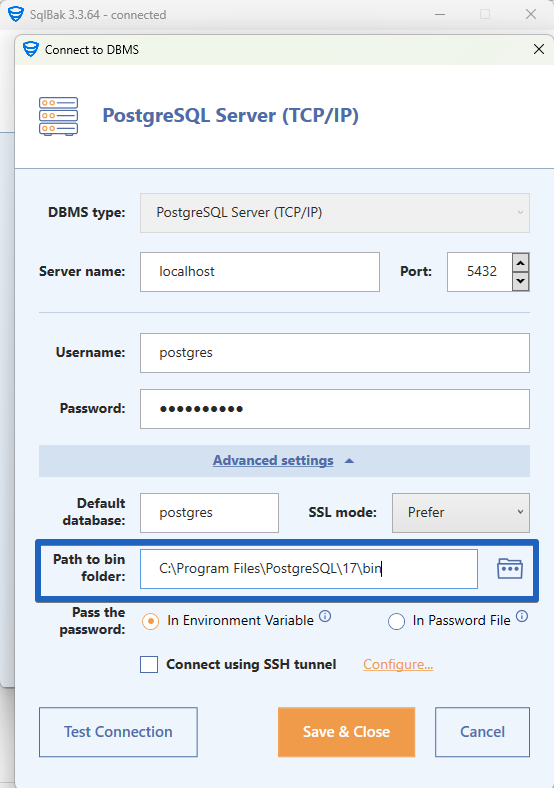
psql.exe, pg_dump.exe and pg_restore.exeare installed along with the application files in the following directory: C:\Program Files (x86)\Pranas.NET\SqlBak\DBMS\PostgreSQL\.
If you encounter version compatibility issues, you can manually specify the path to the PostgreSQL binaries in your connection settings. The latest binaries can be downloaded from the official website.
For Linux:
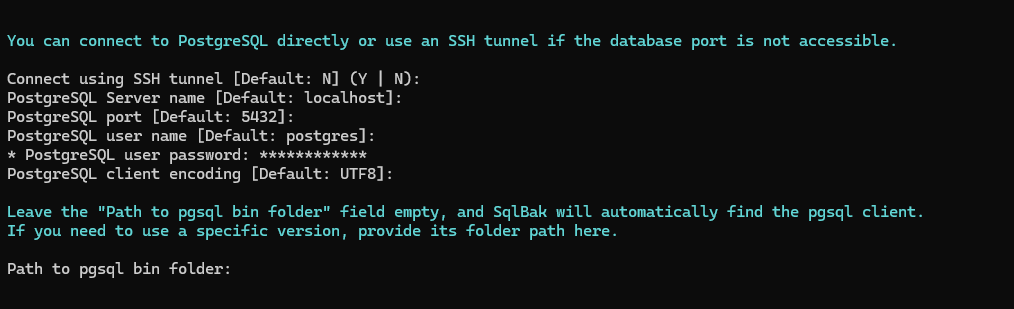
If PostgreSQL server or PostgreSQL client is installed on the server, SqlBak will automatically detect the backup utilities. However, if you need specific versions of the utilities, you can specify them when adding the database connection.
Features of backups created by SqlBak
-
Hot Backup – This means that the backup does not require stopping PostgreSQL. During the backup, your database remains available for both read and write operations.
-
Consistent Backup – At the moment of starting the backup, the state of the database is “frozen” for the session that is creating the backup. Therefore, if other users or processes write data to the database, that data will not be included in the backup. The backup will reflect the state of the database strictly at the beginning of the backup process.
-
Logical Backup – The backup created by SqlBak is a text file containing
CREATE DATABASE,CREATE TABLE,INSERT INTO, etc. To restore, you simply execute this file in the database. If necessary, you can edit this backup with a text editor. Logical backups are almost always compatible across different versions of PostgreSQL servers, so if you need to restore the database to a later version of PostgreSQL, there should be no issues.