Interactive mode
Interactive mode
The interactive command-line mode allows you to configure the backup agent by selecting menu options or entering prompted values. This mode is the default on Linux, but it can also be used on Windows.
To launch the interactive mode, simply run the sqlbak utility:
sqlbak
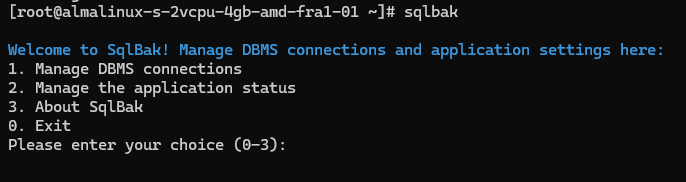
Use number keys to select menu options — each number corresponds to a specific item in the menu.
Default Values
Default values are shown in square brackets after each parameter. If you leave a field empty, the default value will be used.

If you’re unsure what to enter in a specific field, feel free to go with the default — in most cases, it’s the optimal choice.