Dashboard Connection
Dashboard Connection
Immediately after installing the SqlBak application, it must be connected to the SqlBak server.
To connect, you will need a secret key. Keys can be found on the following page: account/keys
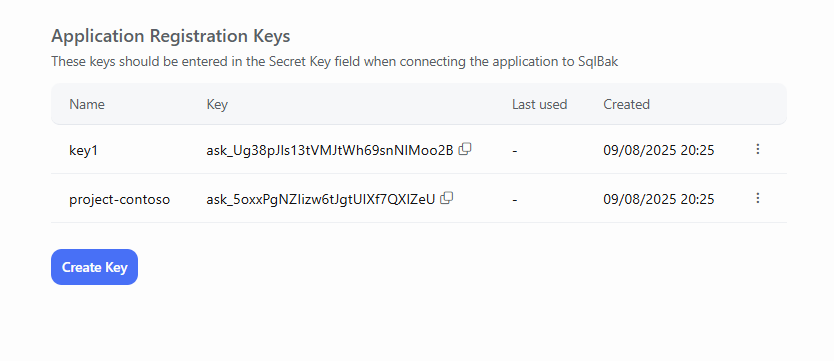
A single key can be used to connect any number of backup agents. Keys are not billed and have no limits. One key is created automatically during registration, and the latest key is also displayed on the Download page as the default key.
Windows
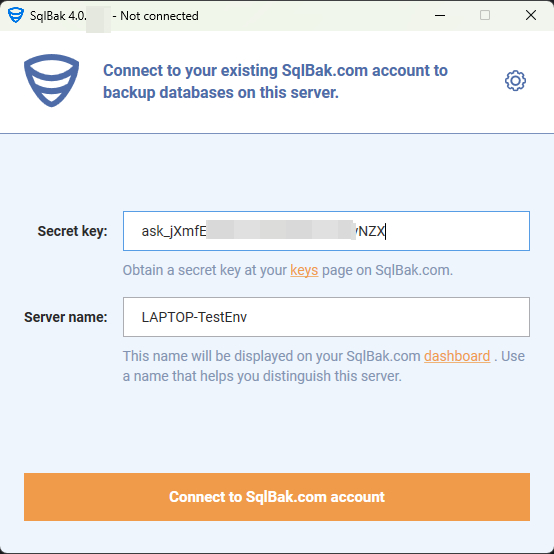
On Windows, the SqlBak Backup Agent is configured using the `sqlbak configure app` command. The window for entering the secret key will appear immediately after installation.
You can also specify a server name in the Server Name field — this name will be displayed on the dashboard.
Linux
After installing the package, run the following command:
sqlbak state --connect --secret-key=
If you need to override the server name displayed on the SqlBak dashboard, use the additional parameter:
--server-name