Storage Destinations
Storage Destinations
Storage is the place where a backup job sends its backups. It can be a cloud storage, FTP/SFTP, or a local/network directory.
A single backup job can include any number of different storages. One storage can also be used in multiple backup jobs. You can manage all storages on the Storages page.
For each individual backup storage, you can define a subdirectory for storing backups and set a retention period (maximum time backups are kept in the storage).
You can also mark a storage as emergency. If this flag is enabled, backups will be uploaded to this emergency storage only if all other non-emergency storages fail to receive the backup.
Storage interaction algorithm for backup jobs
The process SqlBak uses to interact with storage is consistent across all storage types and includes the following steps:
1. Authentication with cloud storage
This step applies only to cloud storage services that use access and refresh tokens, such as Google Drive, OneDrive, Dropbox, and Yandex Disk.
-
The SqlBak agent requests an access token from sqlbak.com.
-
If the token is expired, sqlbak.com refreshes it with the cloud provider.
-
Tokens are managed centrally on sqlbak.com to allow multiple SqlBak agents to access the same storage.
2. Directory creation
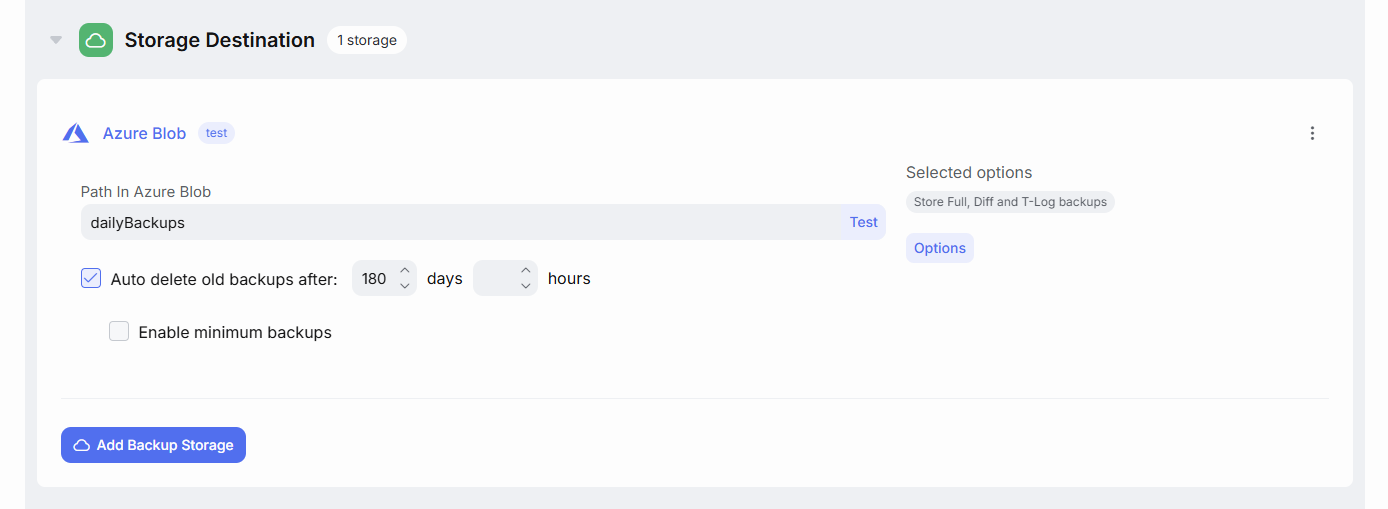
Before uploading a backup to storage, SqlBak checks whether the directory specified in the backup job settings exists. If it does not, it will attempt to create it. The directory will also be created when you press the Test button:
3. Backup upload & download
File upload/download protocols vary by storage provider. Refer to specific storage documentation for technical details on protocols used.
4. Verification of uploaded files
While modern network protocols are generally reliable, there’s still a small risk that an uploaded file may become corrupted and unusable for restore.
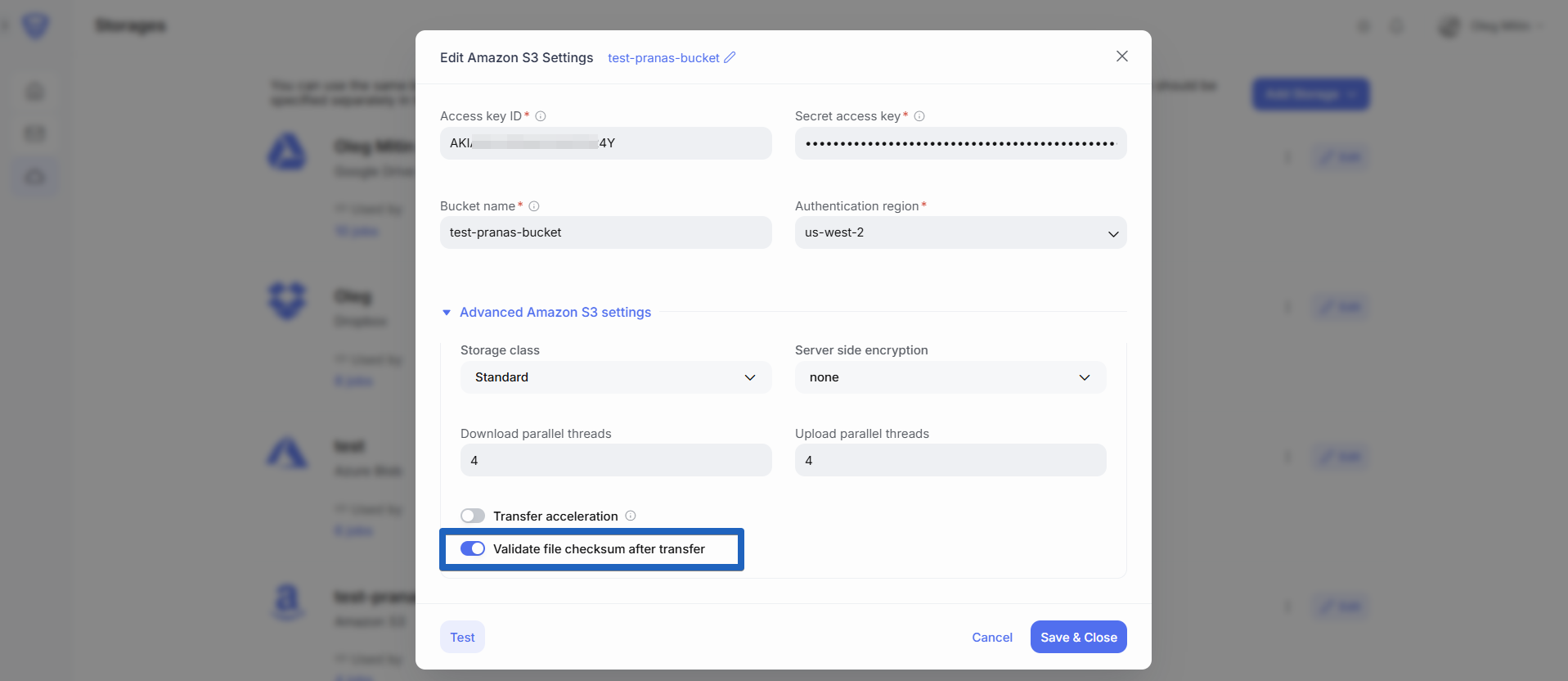
To prevent this, SqlBak verifies each uploaded file by comparing its metadata—such as file size and/or checksum—with the original local file.
In rare cases, some storage providers may return incorrect metadata even after a successful upload. If this occurs, you can choose to disable file verification in the settings:
5. Deleting old backups
Deleting old backups (cleanup) is important. If backups are not deleted, storage space may eventually run out, preventing new backups.
The delete old backups setting appears as soon as you add storage to a backup job:
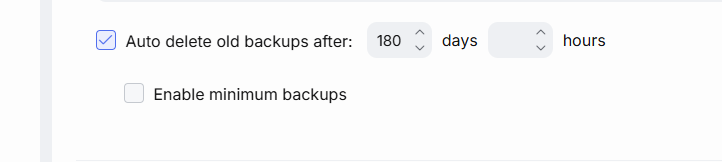
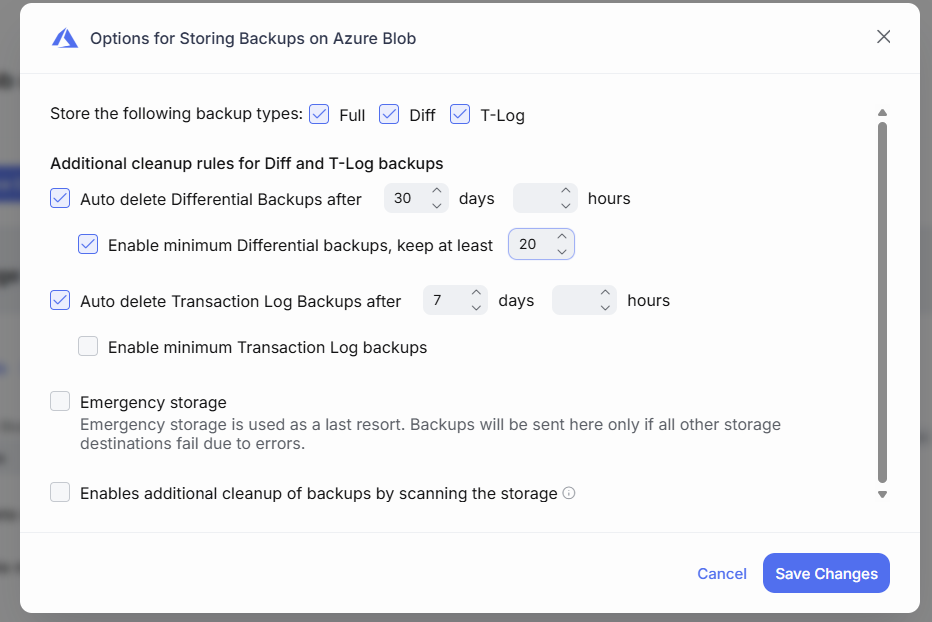
If you are creating differential, incremental, or transaction log backups, you can define separate retention rules for them in advanced settings.
5.1 When cleanup runs
Cleanup starts after backups are uploaded to storage. Cleanup runs sequentially for each storage, but only for the backup files successfully uploaded during that job run.
-
If a backup fails due to a network issue, cleanup will not run for that backup in that storage.
-
If the database backup itself fails (e.g., connection error), cleanup is not triggered.
If you exclude a backup object (e.g., a database) from the job, its backups will remain in storage until manually deleted or the object is re-added.
If you use emergency destination, cleanup will only run for that storage if backups to all main storages fail.
Additionally, for differential, incremental, and transaction log backups, cleanup runs no more than once per hour.
5.2 Cleanup rules
SqlBak supports two cleanup rules:
-
By Retention Period – Deletes backups older than the specified time plus 1 hour.
-
By Quantity – Keeps only the specified number of the most recent backups.
Both rules must be met for a backup to be deleted.
SqlBak never deletes the latest backup. Your storage will always retain at least one backup, regardless of settings.
5.3 Dependent backups
Backups that are required for restore other backups will not be deleted, even if they meet the cleanup criteria.
SqlBak ensures that dependent backups are only deleted once all backups relying on them are also eligible for deletion. This preserves the integrity of your backup chain and ensures that all restore points remain valid.
Specifically:
-
Incremental and transaction log backups depend on previous incrementals or full backups.
-
Differential backups depend on the last full backup.
Example:
If you configure backups to be kept for one day, run transaction log backups hourly, and perform full backups weekly, the transaction logs will accumulate for the entire week. This is because none of the transaction log backups can be safely deleted until a new full backup is created and the previous full backup qualifies for deletion.
5.4 How SqlBak knows what files are in storage
SqlBak does not store backup history locally. Instead, it synchronizes backup history data with sqlbak.com. During cleanup, the SqlBak agent queries sqlbak.com to identify which files should be deleted based on this synchronized data.
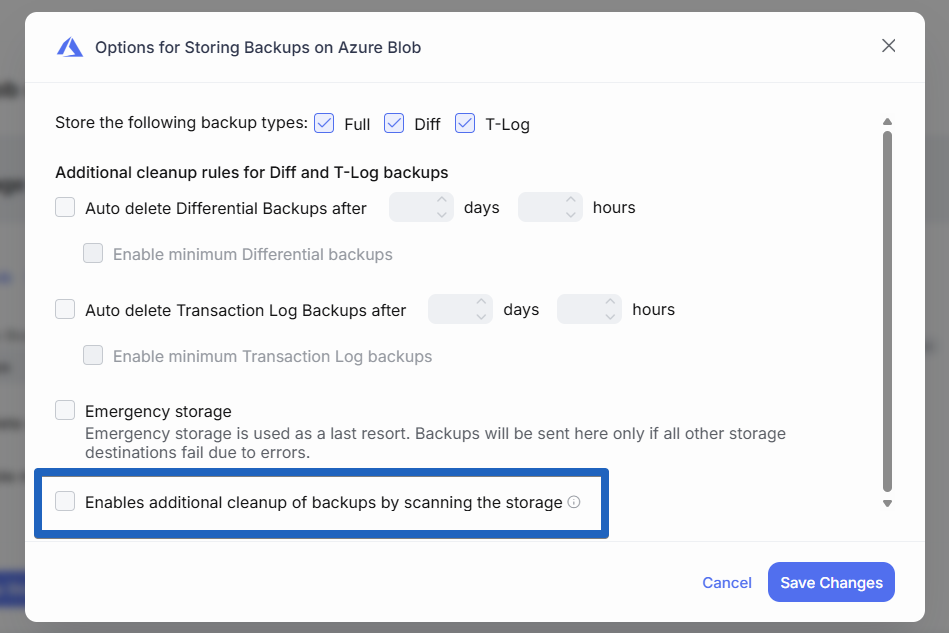
Alternative cleanup mode: file scanning
You can enable an alternative cleanup method via file scanning in the storage settings:
-
SqlBak scans the storage directly using file name patterns (masks) to identify backups. Cleanup rules are then applied based on the scanned files.
-
This mode is helpful if backup jobs were recreated or if sqlbak.com lacks records of older backups (for example, due to a temporary loss of synchronization between the SqlBak agent and sqlbak.com, which caused record gaps).
-
It also allows cleanup to continue when the SqlBak agent cannot connect to sqlbak.com.
File scanning may take longer, and some cloud providers may throttle frequent directory listings.
General Notes:
Retry attempts
If an error occurs during any step above, SqlBak retries the operation up to 4 times at intervals of 10, 30, and 90 seconds.
How SqlBak stores sensitive data
For storages that use OAuth authorization (Google Drive, OneDrive, Dropbox, Box), SqlBak obtains access using an access token and a refresh token. Using the refresh token, the SqlBak server renews the short-lived (1 hour) access token, which is then passed to the backup agent. The refresh token is never transmitted to the backup agent.
Use emergency storage
Emergency storage is an option you can enable for any added storage:
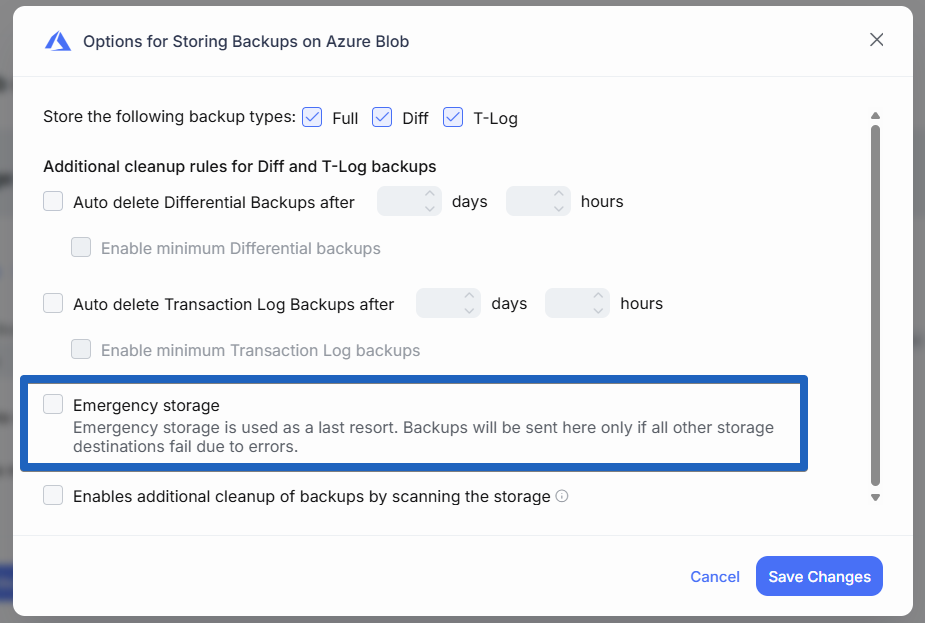
Backups are only uploaded to Emergency Storage if backups to all primary storages fail.
This should be something highly reliable, like a local disk or FTP/SFTP server.
3-2-1 Backup rule
The Cybersecurity and Infrastructure Security Agency (CISA) recommends following the 3-2-1 rule:
-
3 copies of your data: 1 primary + 2 backups.
-
2 different types of media.
-
1 offsite copy.
SqlBak is ideal for following this rule — don’t hesitate to add multiple storage destinations to your backup job.
Backup encryption
Encrypting backups adds an extra layer of protection. Even if someone gains access to your backup storage, they cannot restore it without the password. SqlBak supports password-protected restores.
How to increase backup upload speed
SqlBak does not throttle upload speeds. Speed depends on your internet and the storage provider.
Cloud providers may limit upload speeds via API but not via their own apps.
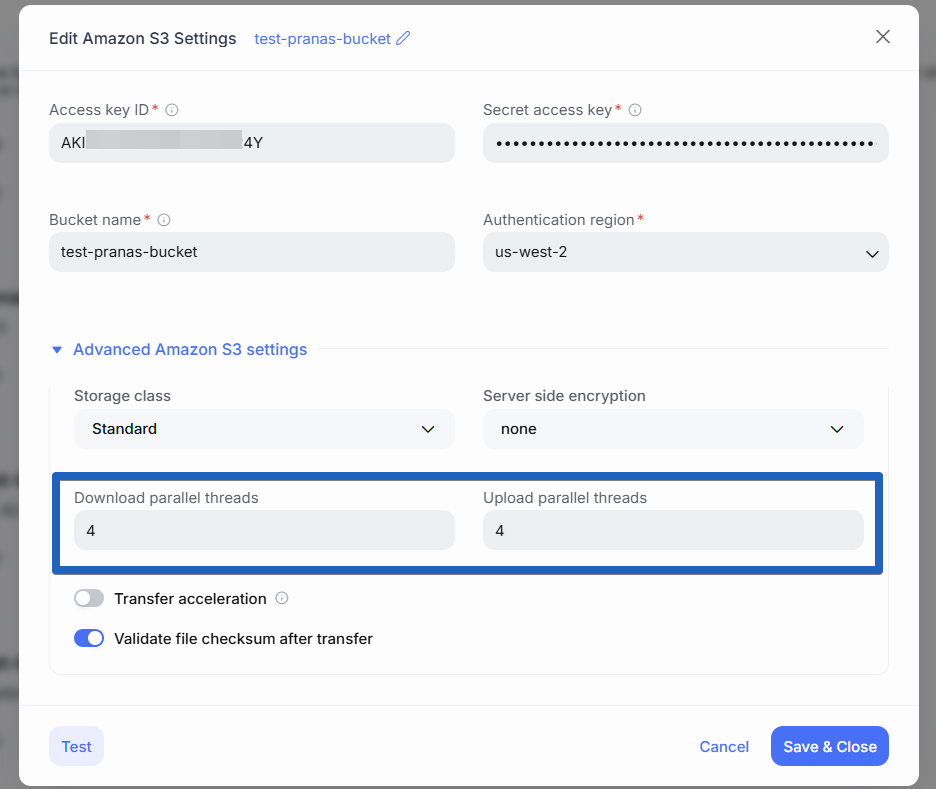
Some storages support multi-threaded uploads, which can significantly improve speed over high-bandwidth connections. If available, this option will appear in storage settings: