CMD Scripts
CMD Scripts
CMD scripts are Windows .bat or Linux .sh scripts that are executed on the server where the SqlBak Agent is installed, under the user account running the SqlBak Agent. You can add any number of such scripts to a backup job. Any non-zero exit code will cause this step in the job to be marked as an error. Conversely, if your script encounters errors but ends with a successful (zero) exit code, the job will not report an error.

Batch script settings:
Execution timing
When adding a CMD script to the job, you can control when it runs by selecting one of these options:
| Execution Timing | Description |
|---|---|
| After job started | Runs right after the backup job begins, before any backup operations. |
| Before job finished | Runs after all backups complete, but before the job is officially marked as finished. |
| Before backup started | Runs before the backup of each individual database begins. |
| After backup finished | Runs after each individual database backup completes (commonly used for post-tasks). |
| After uploads finished | Runs after all backup files have been uploaded to the storage destination. |
Continue on error
If checked, the job will continue as if it succeeded.
Script
Provide the script command you want to run.
Available predefined variables
When a script is executed, the following environment variables are passed to it. The exact list may vary:
| Variable | Description |
|---|---|
SQLBAK_JOB_START_MODE |
Contains a string indicating how the backup job was started:FROM_COMMAND_LINE – started by the user from the command lineBY_SCHEDULE – started by the backup job schedulerMANUAL – started manually from the website by pressing the Run Now buttonBY_ANOTHER_JOB – started via a trigger from another job (in development) |
SQLBAK_OBJECT_NAME |
The name of the object being backed up. Typically this is either the database name or the directory name specified in the What to backup? section. |
SQLBAK_BACKUP_KIND |
The backup kind with which the backup job was run. Available values: FULL, DIFFERENTIAL, INCREMENTAL |
SQLBAK_BACKUP_TYPE |
The type of backup for a specific backup object. Available values: MSSQL_FULL, MSSQL_FULL_COPYONLY, MSSQL_DIFFERENTIAL, MSSQL_TRANSACTIONLOG, MSSQL_TRANSACTIONLOG_COPYONLY, MYSQL_DUMP, MYSQL_BINARYLOG, PGSQL_DUMP, FILESYSTEM_FULL |
SQLBAK_BACKUP_SUCCESS |
Indicates whether the backup creation was successful: 1 for success, 0 for failure |
SQLBAK_JOB_RUN_SUCCESS |
Indicates whether the backup job itself was successful: 1 for success, 0 for failure |
SQLBAK_UPLOAD_SUCCESS |
Indicates whether the backup upload to the storage was successful: 1 if upload succeeded, 0 if failed |
To run a PowerShell script on Windows
You can call PowerShell from within a CMD script using:
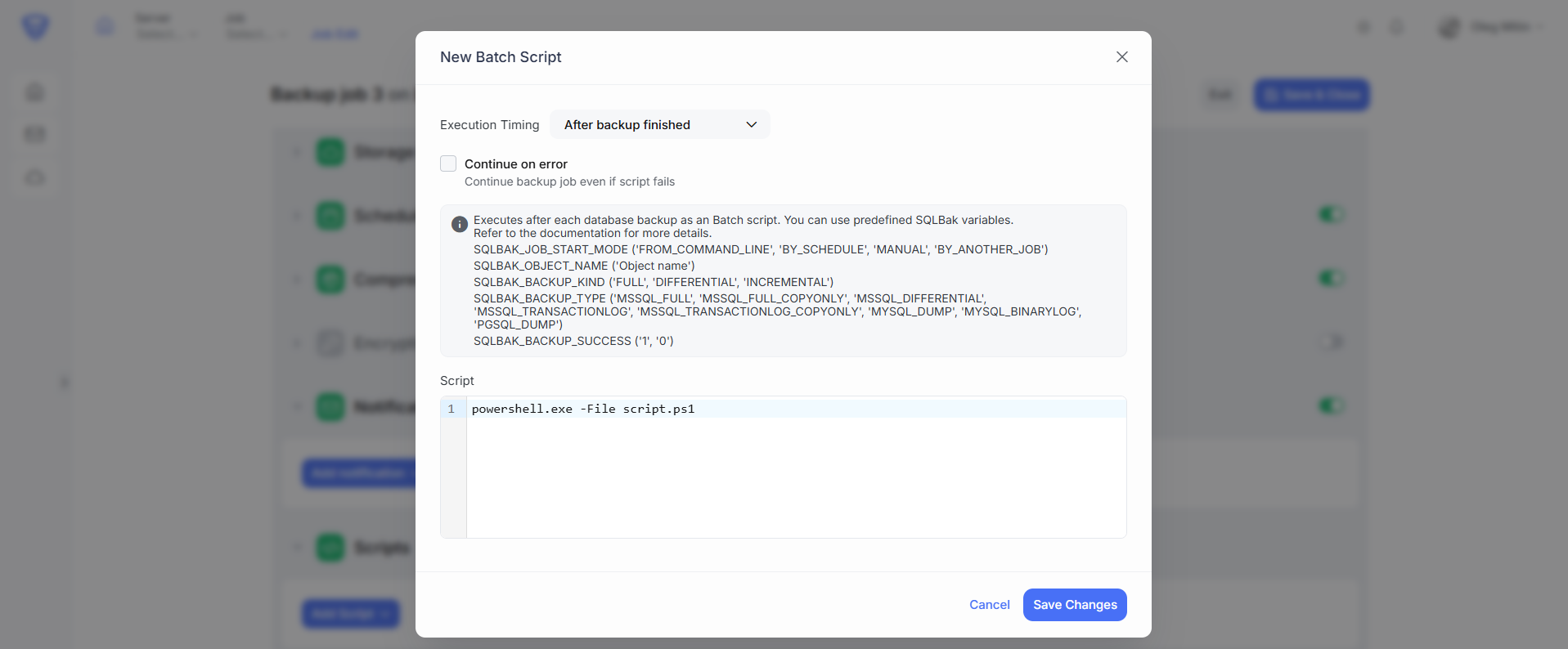
powershell.exe -File script.ps1
This allows you to leverage PowerShell’s capabilities while keeping the script integrated into your backup job: