Compression
Compression
Using compression can significantly reduce the storage space required for backups. Although compression takes time, in some cases enabling it may actually shorten the total duration of a backup job, since the compressed backup will be transferred to storage faster.
To enable backup file compression, activate the Compression option. By default, the archive format is set to Zip and the compression level is set to Normal:
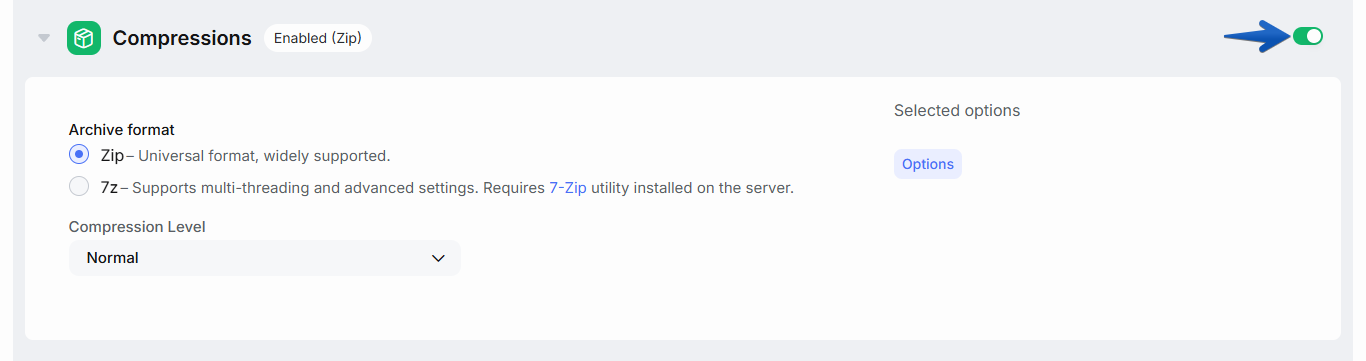
Currently, two formats are supported: Zip and 7z.
Zip – the most popular compression format, supported by default in recent versions of Windows. In most Linux distributions, the zip utility is usually preinstalled, but for manual decompression you often need to additionally install the unzip package.
7z – files of this format are created by the free open-source utility 7-Zip. This utility provides a higher compression ratio and allows for more flexible management of the system resources used during compression. To use 7-Zip, you need to install it on the server. Packages for Windows and installation instructions for Linux can be found here.
The second important parameter is the compression level. Six levels of compression are available, from None (no compression) to Ultra. Increasing the compression level usually significantly increases the time required to create a backup, while the compression ratio gain depends heavily on the nature of the data being compressed.
Advanced Compression Settings
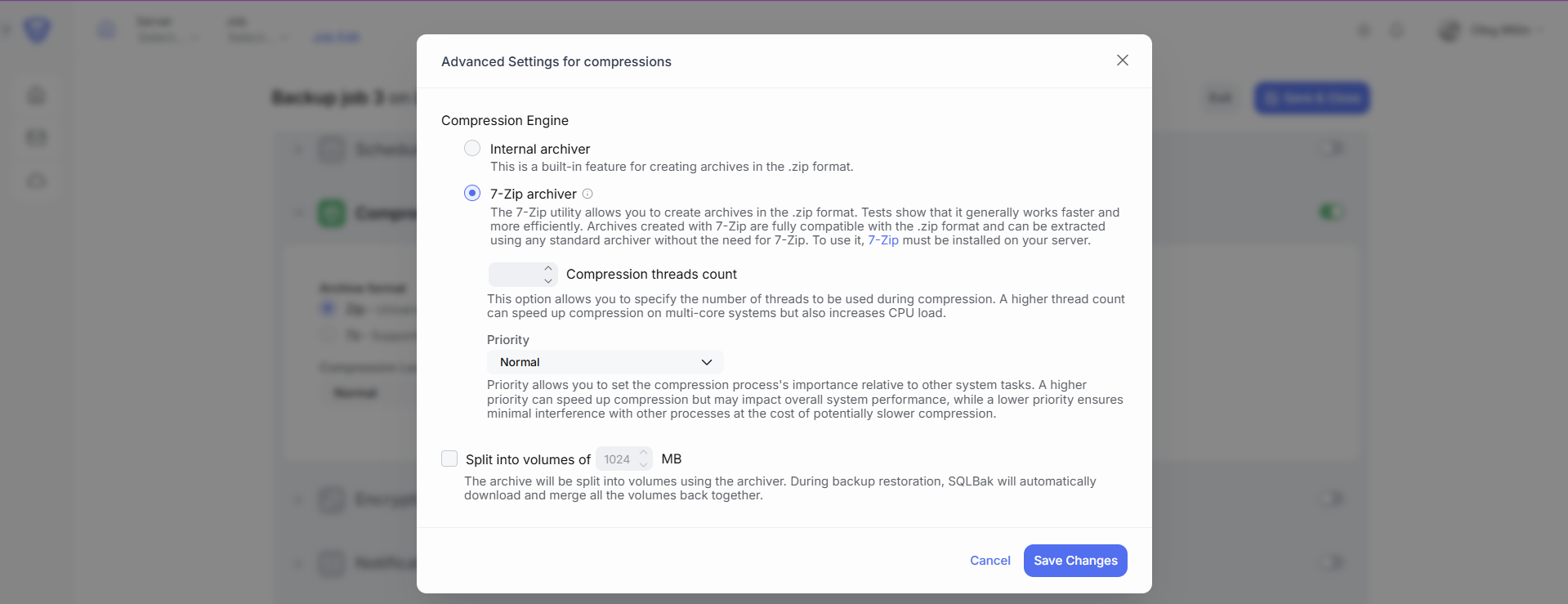
By clicking the Options button in the compression settings, you can access the Advanced Settings for Compression window. In this window, you have the following options:
Compression Engine
SqlBak has a built-in ZIP archiver. However, if 7-Zip is installed on your system, you can select it as the compression engine. The 7-Zip engine allows you to set additional archiving options:
- Compression threads count – This option allows you to specify the number of threads to be used during compression. A higher thread count can speed up compression on multi-core systems. Caution: using more threads increases CPU load, which may affect system performance.
- Priority – allows you to set the compression process’s importance relative to other system tasks. A higher priority can speed up compression but may impact overall system performance, while a lower priority ensures minimal interference with other processes at the cost of potentially slower compression.
Split into volumes
The archive will be split into multiple volumes (chunks) using the selected archiver. This option is especially useful when your backup destination imposes restrictions on the maximum file size allowed for uploads.
During backup restoration, SqlBak will automatically download and merge all the volumes back together, so no manual steps are required.