PostgreSQL
Setting up PostgreSQL as a data source for backup
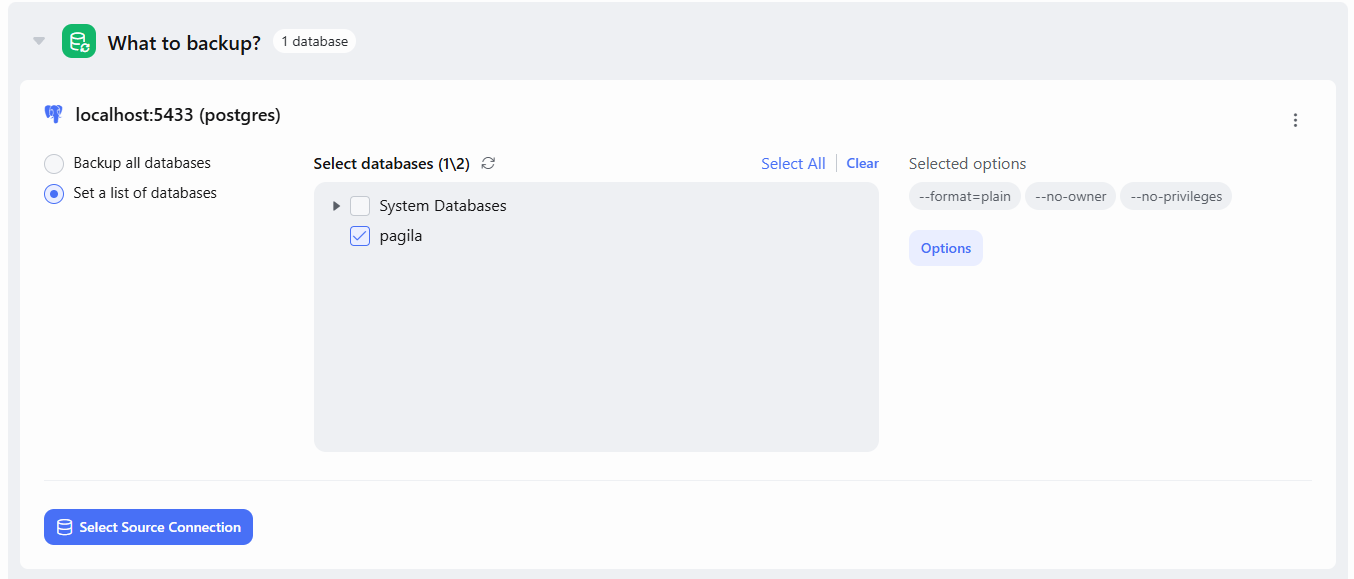
In this window, you can select what exactly SqlBak should back up. Two options are available:
-
Backup All Databases – SqlBak will request the list of databases at the time the backup job is executed and back up all of them.
-
Set a list of databases – You can manually select specific databases from the list in the center of the screen.
In both cases, you may also choose to include system databases. Please note that SqlBak cannot always restore system databases automatically. This option is intended for advanced users who understand the purpose of system databases and know how to restore them manually if needed.
Additional Options
Click the Options button to configure how the backup is performed and what it includes.
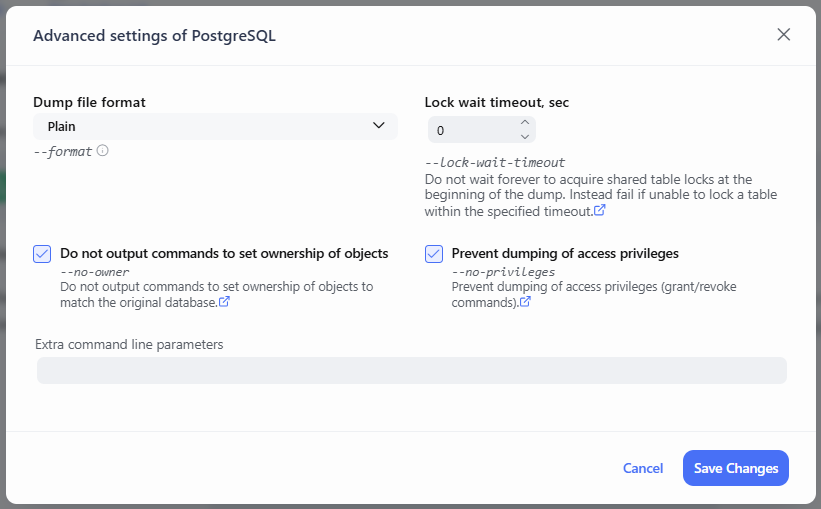
Dump file format
Adds the --format parameter to the pg_dump command. This parameter specifies the format of the created backup. Format can be one of the following:
- Plain – Output a plain-text SQL script file (the default).
- Custom – Output a custom-format archive suitable for input into
pg_restore. Together with the directory output format, this is the most flexible option because it allows manual selection and reordering of archived items during restore. This format is also compressed by default. When using this format, it is recommended to disable compression in the backup job, as additional compression is inefficient. - Tar – Output a tar-format archive suitable for input into
pg_restore. The tar format is compatible with the directory format: extracting a tar-format archive produces a valid directory-format archive. However, the tar format does not support compression. Also, when using tar format, the relative order of table data items cannot be changed during restore.
Lock wait timeout, sec
If the value is greater than zero, adds the --lock-wait-timeout parameter to the command. This controls how long pg_dump will wait to acquire a lock on a table. This option can be useful when the database is under heavy load.
Do not output commands to set ownership of objects
Adds the --no-owner parameter to the pg_dump command. In this case, SQL commands ALTER OWNER or SET SESSION AUTHORIZATION will not be included in the backup file. As a result, all database objects from the backup will be created under the user account that performs the restore.
Extra Command Line Parameters
In this field, you can add any custom options that will be appended to the mysqldump command.
⚠️Important: Avoid overriding parameters that SqlBak already includes by default. Future updates may change these built-in parameters, and overriding them may result in unexpected behavior or errors.