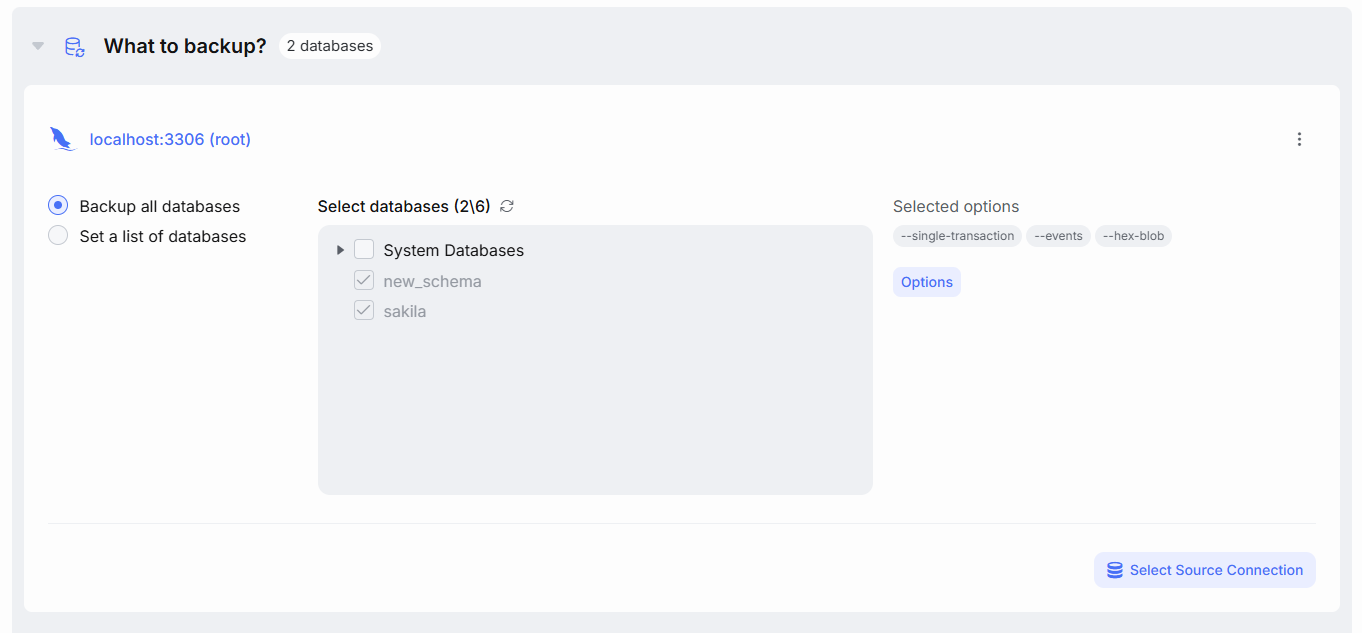
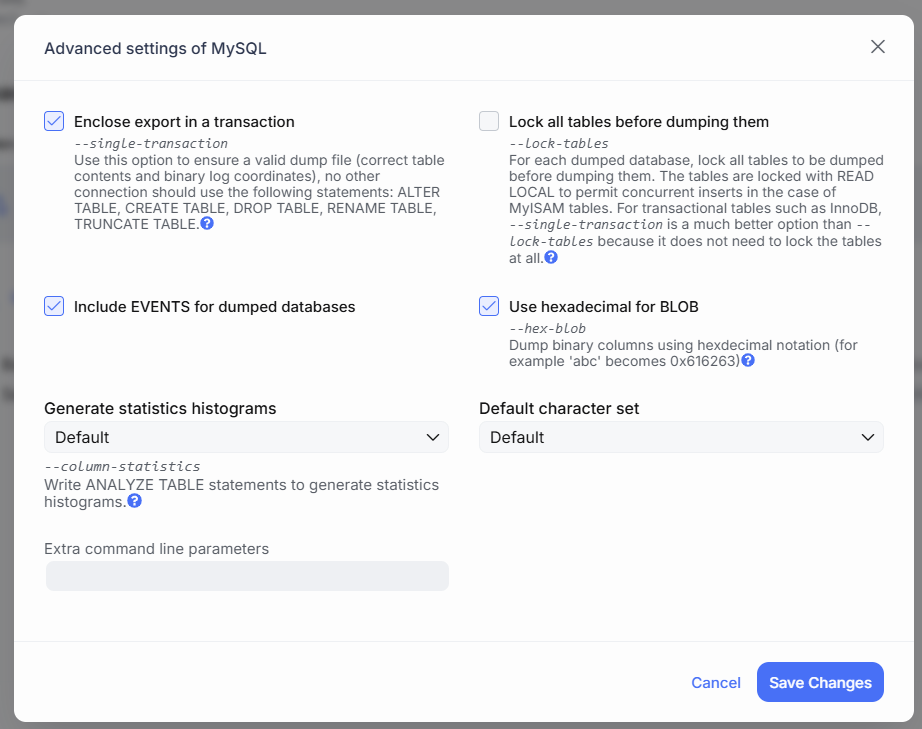
Enclose export in a transaction
Adds the –single-transaction option to the mysqldump command.
When enabled, the backup starts a transaction to ensure consistency — meaning the data will be captured as it was at the start of the backup, and any changes made during the process will not be included.
This option works correctly only with InnoDB tables. If you’re using other storage engines, this option is not recommended.
Lock all tables before dumping them
Adds the –lock-tables option to the mysqldump command.
When enabled, all tables are locked in read-only mode during backup to ensure consistency. This results in a cold backup.
Use this option if your database includes non-InnoDB tables. If all your tables use InnoDB, the Enclose export in a transaction option is a better choice.
Include EVENTS for dumped databases
Adds the --events option to the mysqldump command.
When enabled, scheduled Events defined in the database will be included in the backup.
Use hexadecimal for BLOB
Adds the --hex-blob option to the mysqldump command.
Binary data will be exported as hexadecimal values. For example:
INSERT INTO images (id, data) VALUES (1, 'ÿØÿà');--hex-blob :INSERT INTO images (id, data) VALUES (1, 0xFFD8FFE0);This avoids issues related to encoding and control characters (like line breaks), but increases the size of the backup, since each char is stored as two characters.
Generate statistics histograms
Controls how the –column-statistics option is added to the mysqldump command. This setting is important for resolving compatibility issues between the client and server versions of MySQL.
Starting from MySQL 8.0.2, both the client and server support --column-statistics. However, as this option is enabled by default in mysqldump 8.0.2+, it can cause compatibility issues with older servers. You can choose one of the following modes:
-
default – The parameter is not explicitly added to the command. It will use the
mysqldumpdefault behavior.
For versions older than 8.0.2, it is effectively disabled.
Use this if yourmysqldumpand MySQL server versions match. -
on – Explicitly enables statistics. Use this if you want to include ANALYZE TABLE results in your dump.
-
off – Explicitly disables statistics. Use this if you are using
mysqldump8.0.2+ with a server version older than 8.0.2.
Default Character Set
Specifies the character set used for the backup.
If set to default, the character set of the MySQL server will be used.
Change this if you plan to restore the backup on a server with a different character set.
Extra Command Line Parameters
In this field, you can add any custom options that will be appended to the mysqldump command.
⚠️ Important: Avoid overriding parameters that SqlBak already includes by default.
Future updates may change these built-in parameters, and overriding them may result in unexpected behavior or errors.