Backup Sources
Backup Sources
A backup source is the resource from which data is taken to create a backup. For SqlBak, this can be either a database or a folder.
Backup sources are configured using the SqlBak Agent Config App.
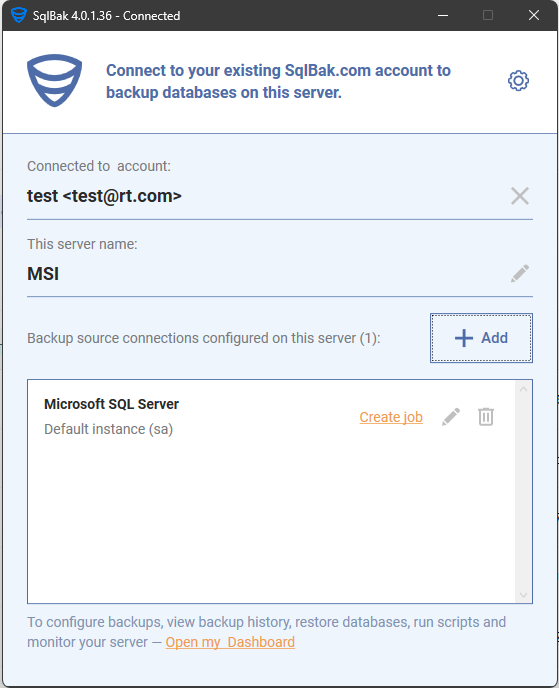
SqlBak never stores your database password on its servers.
Your credentials are securely stored locally on the SqlBak Agent and are never transmitted to sqlbak.com.
Adding a Backup Source to a Backup Job
In the What to Backup section, you need to specify one or more backup sources. For instructions on how to configure a new data source connection, see Backup Sources.
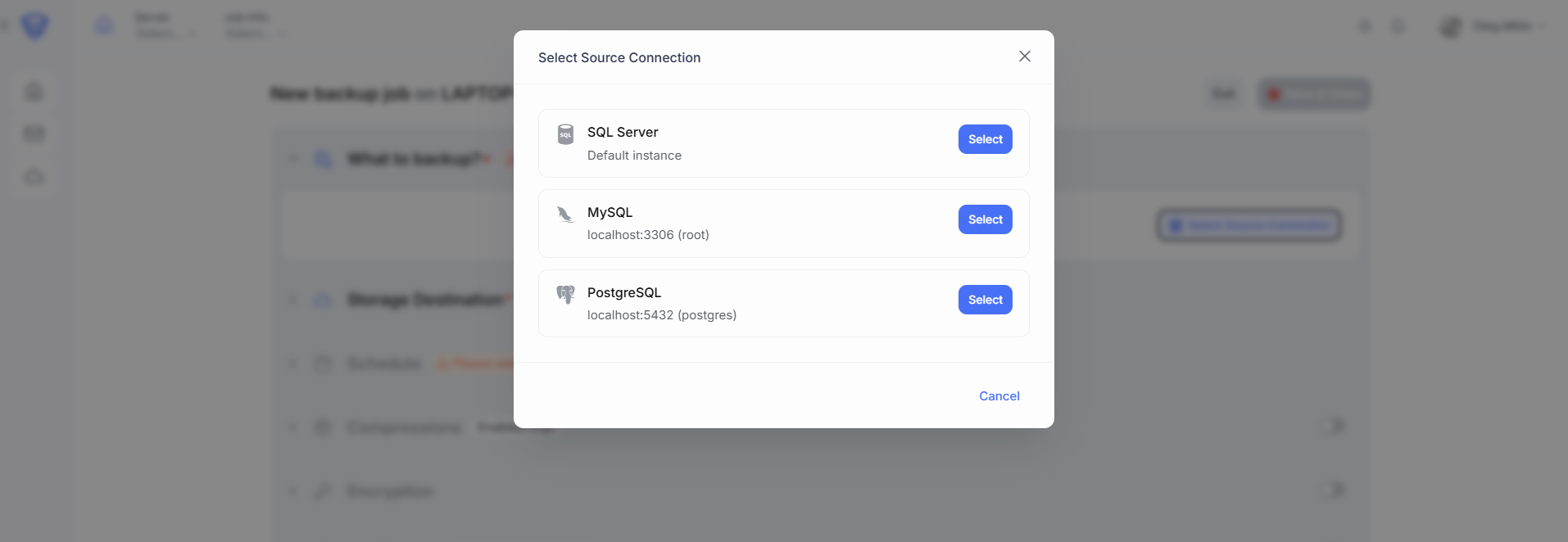
If only one backup source is configured on the SqlBak Agent, it will be automatically added to the backup job. If multiple backup sources are configured, then in the “What to backup?” section, click the “Select Source Connection” button to choose the desired data source for your backup job.
In the popup window, you will see a list of all previously configured database connections (available DBMS sources):